Windows Server 2022 Note
Windows Server 2022 Note
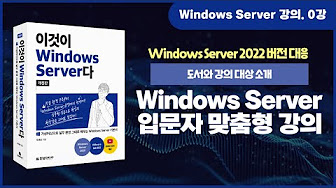
Windows Server Free Youtube Hands on Video Lectures
Lecture 0 Summary
07:10 — Introduction to the recommended hands-on practice environment
11:26 — Use an app to check whether your computer meets the course requirements
12:00 — Download practice files: https://cafe.naver.com/thisislinux
13:03 — Overview of the course roadmap (curriculum), which consists of more than 70 lectures:
- Server installation
- Windows Server administration
- Windows Server from a networking perspective
- Advanced hands-on projects using Active Directory
- Virtualization with Hyper-V, Nano Server, and Windows containers
Click here to view curriculum roadmap
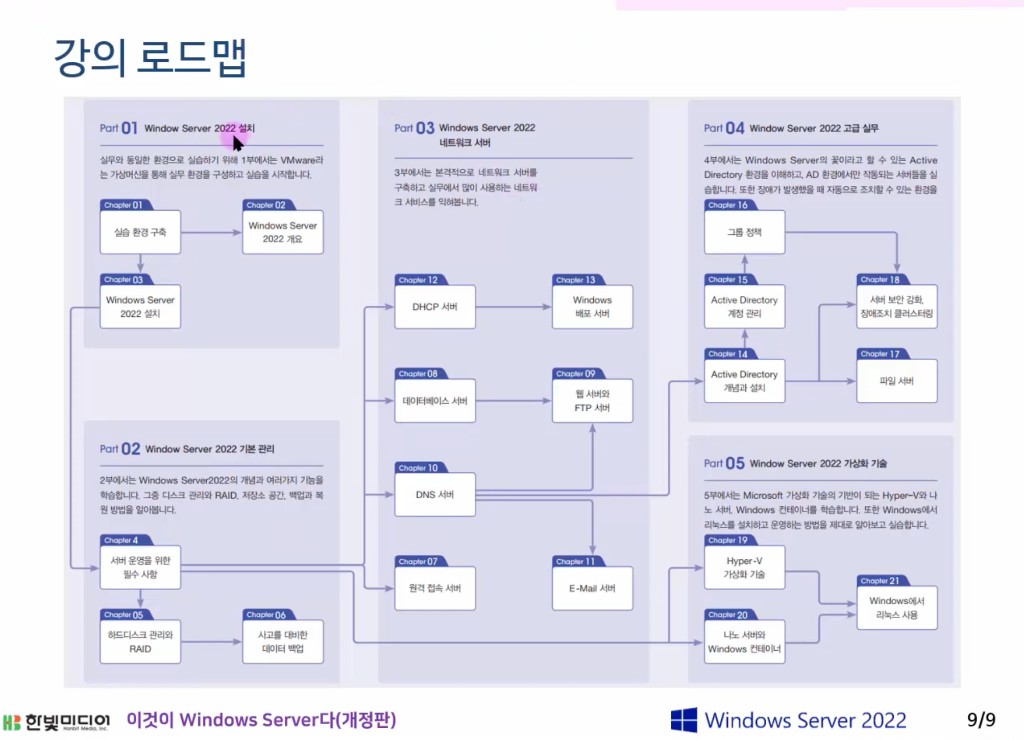
Curriculum Roadmap
This post is licensed under CC BY 4.0 by the author.